Today
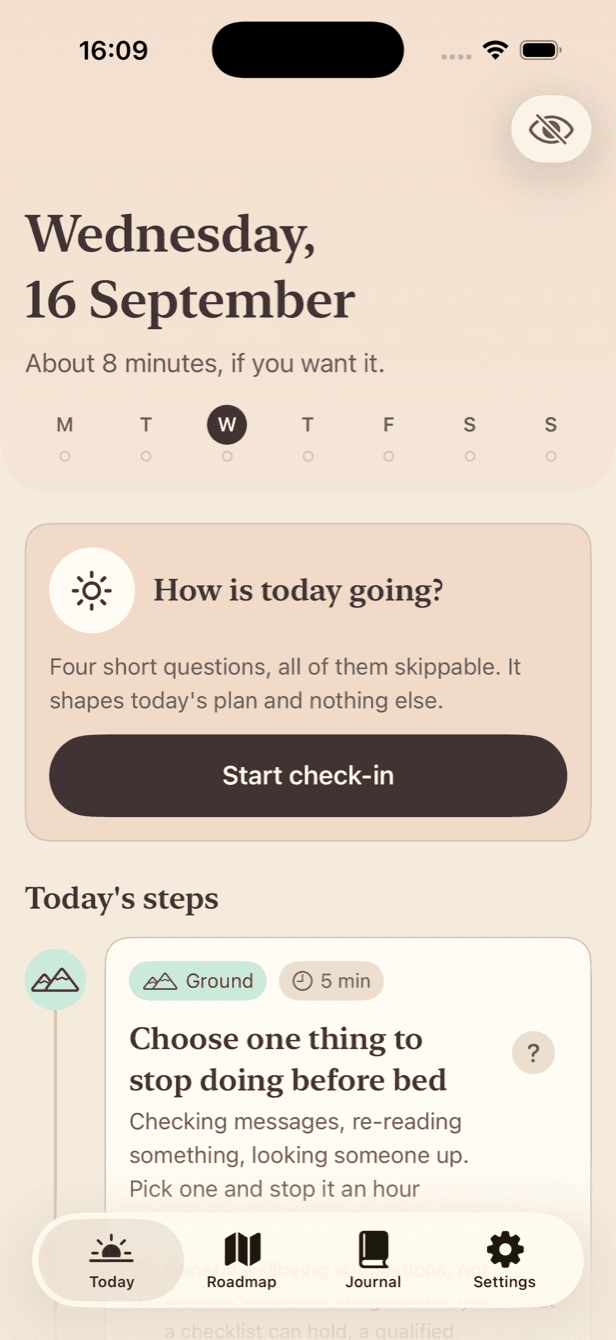
One steadying step and one practical step, sized to the time you said you had. Each one says which of your answers chose it.
After a separation, advice ends up scattered across notes, calendars, lawyers, friends and search results. Steady Next turns it into one small private plan: one steadying thing and one practical thing a day, on your own phone.
No free trial. Steady Next has not been submitted to the App Store yet; this placeholder will become a real link when a listing exists.
It is a private organiser with supportive reflection, and a clear route to people who are qualified to help.
One steadying step and one practical step, sized to the time you said you had. Each one says which of your answers chose it.
Four short questions, every one skippable, nothing scored. A heavy day at low capacity shrinks the plan to a single step.
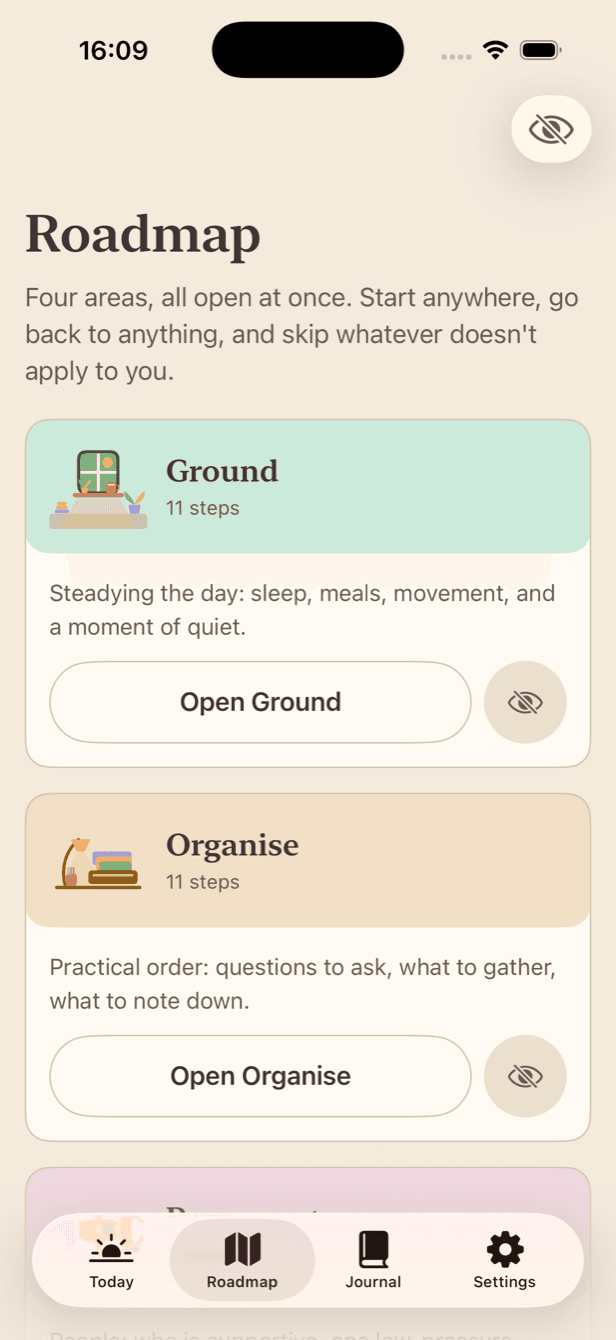
Ground, Organise, Reconnect and Forward: four areas, all open at once. Nothing is locked, nothing is sequential, and you can hide what does not apply.
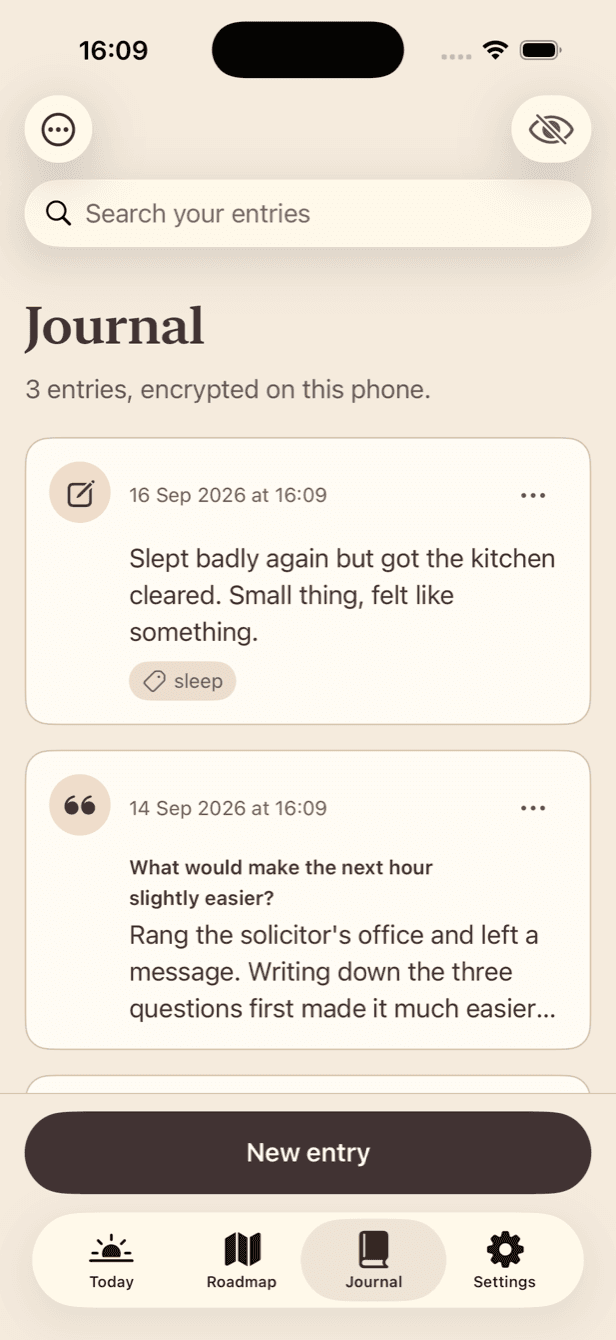
Encrypted on your phone. No account, no sync, no analysis. Search runs on the device. You can export it all or delete it permanently, whenever you want.
Off unless you turn them on. Even then, every request shows you the exact words that would leave your phone and lets you strike any of them out first.
Questions for a lawyer or mediator, your own checklists, dates you noted, people by role, and message drafts you send yourself.
Screens from the app, not mockups. Everything you see below is on the phone and nowhere else.
A contested separation often means a shared device, a known passcode, or an account somebody else set up. Most apps do not design for that. Steady Next does, and it is honest about where its protection stops.
Not your phone's passcode. Someone who knows that one still cannot open Steady Next. Face ID can sit on top.
“You have a reminder.” and nothing else: no mood, no separation, no app purpose on the lock screen.
The snapshot iOS keeps shows a neutral card, not your journal.
A quick exit from any screen. It hides what is on screen; it does not pretend to erase anything.
The whole crisis and legal-aid directory ships inside the app, so it works offline and leaves no network trace.
If another person has your passcode, is on your Apple Account, or installed something on the device, no in-app setting changes that.
There is no free trial. Nothing starts counting down, and nothing turns into a charge you were not expecting. Daily plans, check-ins, the roadmap, the journal, the toolkit, reminders and optional reflections need an active subscription from the start. Prices come from the App Store in your own currency and are shown in the app before you buy, along with the renewal date and how to cancel. No price is published here, because a price on a web page goes out of date and the App Store’s is the real one.
Never behind the paywall: Get help now, the full resource directory, technology-safety guidance, Restore Purchases, subscription management, support, this site’s legal pages, and exporting or deleting everything you have written.
No. Steady Next does not offer one, so there is nothing that quietly turns into a charge later. You decide to subscribe or you do not, and everything safety-related works either way.
No, and it will refuse if you ask. Whether to file, sign, settle, move out, or move money depends on where you live and on facts an app cannot know. Steady Next helps you write down what to ask someone who can answer, and links you to free legal aid.
Journal entries and check-in notes are encrypted on your phone. There is no account and nothing syncs. Deleting them removes them immediately and destroys the encryption key, so nothing left on the filesystem can be read afterwards.
It says your own words back to you, breaks a goal you chose into smaller steps, or turns a worry into questions for a professional. It is off by default. Before anything is sent you see the exact text on screen and can strike out any line or cancel. It never diagnoses anyone, never predicts what a court or a former partner will do, and never sends anything on your behalf.
The daily plan, roadmap, journal and toolkit stop opening. Everything you wrote stays on your phone untouched, and you can still export it, delete it, restore a purchase, and reach every crisis and legal-aid resource.
Get help now, the whole resource directory, the technology-safety guidance, Restore Purchases, subscription management, export and deletion never need a subscription. They are the things that matter most when someone is not safe, so they are never behind a paywall.
Partly, and it is honest about the limits. There is an app lock with its own passcode, not your phone's, plus an app-switcher cover, a one-tap blank screen, and reminders that read only “You have a reminder.” But if another person has your passcode, is on your Apple Account, or installed something on the device, no setting inside an app changes that.
Yes. A subscription appears by name in purchase history and Apple may email a receipt. Steady Next cannot change that, which is why everything safety-related works without paying.
Yes, immediately and from inside the app: all journal entries, all reflections, or everything. There is no account to close, no email round-trip and no waiting period. Deleting your data does not cancel an App Store subscription. That is done in the App Store.
Steady Next cannot help with an emergency. In the United States, call or text 988 for suicide or emotional crisis, call 1-800-799-7233 or text START to 88788 for the National Domestic Violence Hotline, and call 911 if someone is in immediate danger.